Frp Bypass Moto E5 Play -
To avoid getting locked out of your device moving forward, follow these preventative security habits:
Search for "Get started with Voice Access" and open the YouTube video link provided in the help article.
This is the most reliable method for Moto E5 Play devices running Android 8.0/8.1 Oreo. It uses the TalkBack accessibility feature to open a browser window and install bypassing applications. Step 1: Access the TalkBack Menu frp bypass moto e5 play
Ultimate Guide: Moto E5 Play Go to product viewer dialog for this item. FRP Bypass - Remove Google Account Verification (2026) If you have performed a hard reset on your Moto E5 Play
Before attempting the bypass procedure, ensure you meet the following conditions to avoid unexpected interruptions: : Charge your Moto E5 Play To avoid getting locked out of your device
Keep in mind that these tools may have varying degrees of success, and some may require additional setup or technical expertise.
: Go to Settings > System > About Phone , tap the Build Number seven times to unlock Developer Options, then toggle OEM Unlocking to ON. This permanently disables FRP protection. Step 1: Access the TalkBack Menu Ultimate Guide:
The Moto E5 Play running Android 9 Pie has patched many of the old exploits, but the TalkBack menu remains a viable entry point.
Hold down the and Power buttons simultaneously until the phone enters Fastboot Mode (a screen showing a disassembled Android robot). Connect the phone to your PC via the USB cable.
If you plan to sell, gift, or reset your Moto E5 Play, you can avoid triggering FRP by removing all Google accounts from the operating system while you still have access. Open the app. Scroll down and select Accounts . Tap on the Google account you wish to remove. Select Remove Account and confirm your choice.
Once you have a verified and safe copy of MotoReaper, follow these steps:

Rutgers Army ROTC
157 College Avenue
New Brunswick, NJ 08901
848-932-3217
Hours of Operation
Mon - Fri: 8:30 AM to 4:00 PM
Sat - Sun: CLOSED
Deliveries accepted Mon - Thurs 9:00 AM to 3:00 PM
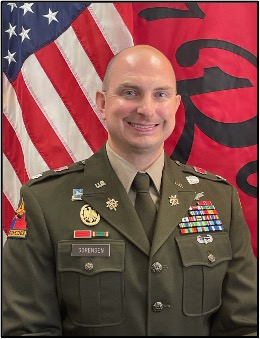
LTC Timothy Sorensen
Professor of Military Science